Archive for the ‘Programación y desarrollo’ Category

h1

PDF.js

07/11/2020

Si se produce el siguiente error:

PDF.js v1.4.20 (build: b15f335)
Message: file origin does not match viewer's

debido a que se intenta mostrar un archivo alojado en un servidor distinto al propio, y la política CORS (Cross-Origin Resource Sharing) del primero rechaza ese hot-linkng, a parte de intentar actualizar a la última versión de la librería si es posible, es necesario emplazar el siguiente fichero .hatccess en la carpeta donde se localice el PDF a mostar:

<IfModule mod_headers.c>   
 Header set Access-Control-Allow-Origin "*"   
</IfModule>

Igualmente en viewer.js añadir los hosts de donde se van a leer ficheros:

var HOSTED_VIEWER_ORIGINS = ['null', 'http://mozilla.github.io', 'https://mozilla.github.io', 'http://192.168.1.117'  ];

h1

Error No existe el archivo o el directorio #include

10/01/2016


PROBLEM

carlos@shirley:~/egg/64$ make gcc -g -ansi -Wall -DLinux -DUSLEEP -D_GNU_SOURCE -DUSB_SERIAL -DALT_UI -DNO_UI -DPACKETDUMP -DHEXDUMP -DREPORT=1 -DEGG_DYNAMIC   -c -o eggui.o eggui.c
eggui.c:39:20: fatal error: curses.h: No existe el archivo o el directorio
#include <curses.h>
compilation terminated.
make: *** [eggui.o] Error 1

SOLUTION

carlos@shirley:~/egg/64$ sudo apt-get install libncurses5-dev

h1

Error checking for library containing pnm_readpnminit… no * * * try option –with-netpbm=PATH

17/02/2014

Si se produce el siguiente error compilando GoCR:

carlos@WhenIGrewUp:~/downloads/gocr/gocr-0.50$ sudo ./configure
checking for gcc... gcc
checking for C compiler default output file name... a.out
checking whether the C compiler works... yes
checking whether we are cross compiling... no
checking for suffix of executables...
checking for suffix of object files... o
checking whether we are using the GNU C compiler... yes
checking whether gcc accepts -g... yes
checking for gcc option to accept ANSI C... none needed
checking for a BSD-compatible install... /usr/bin/install -c
checking whether make sets $(MAKE)... yes
checking for library containing pnm_readpnminit... no
* * * try option --with-netpbm=PATH
checking how to run the C preprocessor... gcc -E
checking for egrep... grep -E
checking for ANSI C header files... yes
checking for sys/types.h... yes
checking for sys/stat.h... yes
checking for stdlib.h... yes
checking for string.h... yes
checking for memory.h... yes
checking for strings.h... yes
checking for inttypes.h... yes
checking for stdint.h... yes
checking for unistd.h... yes
checking for unistd.h... (cached) yes
checking wchar.h usability... yes
checking wchar.h presence... yes
checking for wchar.h... yes
checking for an ANSI C-conforming const... yes
checking for function prototypes... yes
checking whether setvbuf arguments are reversed... no
checking for wcschr... yes
checking for wcsdup... yes
checking for gettimeofday... yes
checking for popen... yes
configure: creating ./config.status
config.status: creating Makefile
config.status: creating src/Makefile
config.status: creating doc/Makefile
config.status: creating man/Makefile
config.status: creating include/config.h
config.status: include/config.h is unchanged

se soluciona instalando el paquete  libnetpbm10-dev:

carlos@WhenIGrewUp:~/downloads/phantomjs-1.9.7-linux-x86_64/bin$ sudo apt-get install libnetpbm10-dev

h1

error: linux/limits.h: No such file or directory

28/07/2013

Compilando Squid3 para añadir por ejemplo soporte https puede ocurrir el siguiente error:

checking how to recognize dependent libraries... pass_all
checking how to run the C preprocessor... /lib/cpp
configure: error: C preprocessor "/lib/cpp" fails sanity check
See `config.log' for more details.
make: *** [config.status] Error 1

La solución más habitual suele ser reinstalar los compiladores gcc y g++. No obstante, viendo el fichero config.log se puede encontrar una situación parecida a:
/usr/include/bits/local_lim.h:39:26: error: linux/limits.h: No such file or directory

La solución a este problema es instalar los kernel headers correspondientes a la versión de kernel en uso:

carlos@test:~$ uname -a
Linux test 3.5.0-36-generic #57~precise1-Ubuntu SMP Thu Jun 20 18:21:09 UTC 2013 x86_64 x86_64 x86_64 GNU/Linux
carlos@test:~$ apt-get install linux-headers-3.5.0-36-generic

Además, es conveniente asegurarse que el path /usr/include/linux apunta a la versión de los headers del kernel en uso:

carlos@test:~$ cd /usr/include/linux
carlos@test:~$ ln -s /usr/src/linux-headers-3.5.0-35-generic/include/linux linux

h1

Error invalid SSL_version specified at /usr/share/perl5/IO/Socket/SSL.pm line 332

09/06/2013

Si ejecutando sendEmail ocurre el siguiente error:

pi@raspberrypi ~/egg $ sendemail -f ORIGEN@gmail.com -t DESTINO@gmail.com -s smtp.gmail.com:587 -u "Egg GCP, problema" -m "GCP egg, proceso encontrado muerto" -v -xu ORIGEN -xp CLAVE -o tls=yes
Jun 09 18:57:36 raspberrypi sendemail[6130]: DEBUG => Connecting to smtp.gmail.com:587
Jun 09 18:57:36 raspberrypi sendemail[6130]: DEBUG => My IP address is: 172.26.0.15
Jun 09 18:57:36 raspberrypi sendemail[6130]: SUCCESS => Received: 220 mx.google.com ESMTP k10sm6957405wia.4 - gsmtp
Jun 09 18:57:36 raspberrypi sendemail[6130]: INFO => Sending: EHLO raspberrypi
Jun 09 18:57:36 raspberrypi sendemail[6130]: SUCCESS => Received: 250-mx.google.com at your service, [87.221.224.5], 250-SIZE 35882577, 250-8BITMIME, 250-STARTTLS, 250 ENHANCEDSTATUSCODES
Jun 09 18:57:36 raspberrypi sendemail[6130]: INFO => Sending: STARTTLS
Jun 09 18:57:36 raspberrypi sendemail[6130]: SUCCESS => Received: 220 2.0.0 Ready to start TLS
invalid SSL_version specified at /usr/share/perl5/IO/Socket/SSL.pm line 332

Se soluciona cambiando una línea en el fichero SSL.pm . Para ello, editarlo y realizar el siguiente reemplazo:

pi@raspberrypi ~/egg $ sudo nano  ./usr/share/perl5/IO/Socket/SSL.pm

Localizar la siguiente línea:
m{^(!?)(?:(SSL(?:v2|v3|v23|v2/3))|(TLSv1[12]?))$}i

y sustituirla por:
m{^(!?)(?:(SSL(?:v2|v3|v23|v2/3))|(TLSv1[12]?))}i
 

Fuente: RaspBerry StackExchange

h1

Error curses.h no such file or directory

03/06/2013

Si compilando algún software se produce el siguiente error:
curses.h no such file or directory

Se soluciona instalando las librerías de desarrollo que contienen esa cabecera. En Debian/Ubuntu sería:
sudo apt-get install libncurses5-dev libncursesw5-dev

h1

Error wsdl2java Parameter already exists for method

14/04/2013

Al generar los stubs en Java de un wsdl utilizando Apache-CXF puede ocurrir el siguiente error:

C:\Users\Carlos\Downloads\apache-cxf-2.7.4\apache-cxf-2.7.4\bin>wsdl2java.bat -p
bloomberg https://software.bloomberg.com/datalicensewp/dlws.wsdl

WSDLToJava Error: Parameter: responseId already exists for method submitCancelRe
quest but of type java.util.List instead of java.lang.String.
Use a JAXWS/JAXB binding customization to rename the parameter.

Se soluciona añadiendo el parámetro «-autoNameResolution» a la generación:

C:\Users\Carlos\Downloads\apache-cxf-2.7.4\apache-cxf-2.7.4\bin>wsdl2java.bat -autoNameResolution -p
bloomberg https://software.bloomberg.com/datalicensewp/dlws.wsdl

h1

Errores portando aplicaciones C++ Windows a Solaris (V)

29/12/2012

Al portar una aplicación C++ para Windows desarrollada en Visual Studio hacia Solaris o entornos Unix, se recomienda utilizar las siguientes conversiones y consejos.

EXCEPCIONES

throw std::bad_exception("cAnsiString::ThrowIfOutOfRange. Index is out of range");
Cambiar por:
throw std::runtime_error("cAnsiString::ThrowIfOutOfRange. Index is out of range");

"src/MonteCarlo/cPathCollection.cpp", line 74: Error: Cannot cast from const char* to std::bad_alloc.
Lanzar la excepción sin ningún parámetro.

std::exception
Cambiar por std::runtime_error

VARIOS
headers/ContractPricing/MarketData/cMarketCurve.h:29: error: expected type-specifier before '...' token
Especificar la excepción, generalmente conocida en su cabecera (si no, indicar “Exceptions::cException”)

ParametricImpliedVolatility/cSliceBasedImpliedVolatility.cpp", line 85: Error: The function "lower_bound" must have a prototype.
Declarar la function en el .h

"src/Stock/LogNormal/cBlackScholesEuropeanOptionPricingAnalyticalProblem.cpp", line 27: Error: Utils::DataContainers::cItemDrivenPtrVectorCollection<ContractPricing::Stock::LogNormal::cBlackScholesEuropeanOptionPricingAnalyticalProblem>::Add(ContractPricing::Stock::LogNormal::cBlackScholesEuropeanOptionPricingAnalyticalProblem*) is not accessible from static ContractPricing::Stock::LogNormal::cBlackScholesEuropeanOptionPricingAnalyticalProblem::AddToCollection(const Utils::Memory::cSharedHeapPtr<ContractPricing::Stock::cEuropeanOptionContract, Utils::Memory::cScalarDestroyer, Utils::Synchronization::cFakeSynchronizer>&, ContractPricing::MarketData::cStockImpliedVolatility*, ContractPricing::MarketData::Test::cYieldCurve*, ContractPricing::MarketData::cDividendYieldCurve*, ContractPricing::MarketData::cStockSpotLevel*, Utils::DataContainers::cItemDrivenPtrVectorCollection<ContractPricing::Stock::LogNormal::cBlackScholesEuropeanOptionPricingAnalyticalProblem>*).
Mover de Private a Public el método.

"headers/HestonUtils.h", line 34: Error: The function "OutputDebugString" must have a prototype.
Sustituirlo por un cout.

h1

Errores portando aplicaciones C++ Windows a Solaris (IV)

29/12/2012

Al portar una aplicación C++ para Windows desarrollada en Visual Studio hacia Solaris o entornos Unix, se recomienda utilizar las siguientes conversiones y consejos.

INCLUDES

src/Utils/sEcoCellRange.cpp", line 72: Error: The function "strdup" must have a prototype.
#include <cstring>

Map is not a member of std
#include <map>

size_t len = ::wcslen(wstr); : Error: wcslen is not a member of std.
#include <cwchar>
using std::wcslen;

"../../arguments/arguments.cpp", line 90: Error: The function "find" must have a prototype.
Añadir “using namespace std;”

String is not defined
añadir “using namespace std;”

"src/Utils/strings/StringUtils.cpp", line 20: Error: iswlower is not a member of std.
#include <wctype.h>

Error: size_t is not defined.
#include <stddef.h>

"headers/Utils/Strings/cAnsiString.h", line 187: Error: runtime_error is not a member of std.
#include <stdexcept>

"src/utils/strings/StringUtils.cpp", line 45: Error: The function "iswspace" must have a prototype.
#include  <wctype.h>

"headers/Utils/Math/cholesky.h", line 18: Error: Utils::Math::Cholesky(Utils::DataContainers::cMatrix&, Utils::DataContainers::cVector&) already had a body defined. comprobar que estén los ifndef´s:
#ifndef __CHOLESKY_H__
#define __CHOLESKY_H__
#enfif

"headers/NormDistr2.h", line 21: Error: Multiple declaration for cRandomNumberGenerator.
incluir en el header los ifndef:
#ifndef __NORMDISTR2__
#define __NORMDISTR2__
(…)
#endif

Namespaces cannot be declared in a class scope
comprobar cabecera.

"storage class extern not allowed for a member"
comprobar cabecera.

"../../EcoLibrary3b/src/cXLGreeks.cpp", line 41: Error: ")" expected instead of "&".
ver que esté declarado igual el método tanto en la cabecera como en el src y que los tipos de los parámetros se resuelven.

#ifdef _WIN32
(… código)
#endif

Muchos constructores no se reconocne en el código pese a que vienen en el .h correspondiente. Suele ocurrir que vienen precedidos en el .h de condicionar de que la plataforma sea WIN32. Al portarlo a Solaris u otra plataforma, hay que eliminar esa condición.

h1

Errores portando aplicaciones C++ Windows a Solaris (III)

29/12/2012

Al portar una aplicación C++ para Windows desarrollada en Visual Studio hacia Solaris o entornos Unix, se recomienda utilizar las siguientes conversiones y consejos.

COMPILADOR

"../boost/boost/config/requires_threads.hpp", line 67: Error: #error "Compiler threading support is not turned on. Please set the correct command line options for threading: -mt".

boost.threads.solaris
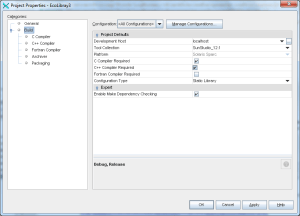
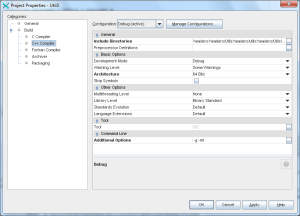
Tal y como indica, añadir en la configuración del proyecto el parámetro «-mt».

headers/ContractPricing/MarketData/cTimeSeriesBumper.h:27: error: expected type-specifier
headers/ContractPricing/MarketData/cTimeSeriesBumper.h:27: error: expected `)'

solaris.sunstudio.g++
Se está compilando con g++ (como se puede ver en la consola). En la configuración global del proyecto, no en la del fichero a compilar, se está especificando utilizar el compilador GNU, en vez de como sería correcto, el de SunStudio 12.1.

Sparc/src/cTimeSeries.o ../Util3/dist/Debug/SunStudio_12.1-Solaris-Sparc/libutil3.a ../Util3/dist/Debug/SunStudio_12.1-Solaris-Sparc/libutil3.a ld: fatal: relocation error: R_SPARC_H44: file ../Util3/dist/Debug/SunStudio_12.1-Solaris-Sparc/libutil3.a(MathUtils.o): symbol .rodata (section): relocations based on the ABS44 coding model can not be used in building a shared object
Compilar las librerías de manera dinámica, no estática, tanto en modo release como debug.

"../../HestonLib/headers/cHestonCalibrator.h", line 102: Error: hola is not a member of const Utils::DataContainers::cItemDrivenPtrVectorCollection.
revisar que el fichero que define esa clase no esté repetido varias veces en el proyecto, de modo que aunque el IDE resuelva al sitio correcto, el compilador no.

Hint try checking whether the first non-inlined, non-pure virtual function of class is defined.
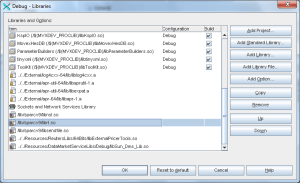
reordenar las librerías incluídas en el linkado para que al linkar no se encuentre con ausencias.

ld: warning: file /lib/sparcv9/libnsl.so: attempted multiple inclusion of file Undefined first referenced symbol in file
quitar.libsnl.so
Quitar libnsl.so

undefined first referenced symbol in file solaris
probar a recompilar la librería que incluye ese método como dinámica.

"symbol referencing errors"
Comprobar que esa función esté definida en el .h y desarrollada en el .cpp